
The logo for Articuwin in front of a light blue gradient with a simplistic muntian peak design. The logo is white with a drop shadow. The letters are rounded and the cross line in the uppercase A extended to the cross line of the lowercase t. the A has two dots in the top half to look like the penguin. Also in the upper right corner is a smaller logo which is a combination of an uppercase letter A, a star, and a penguin.

Articuwin (UI Design)

User interface design and high-fidelity prototype for a task-tracking app.
Demonstration (Figma)

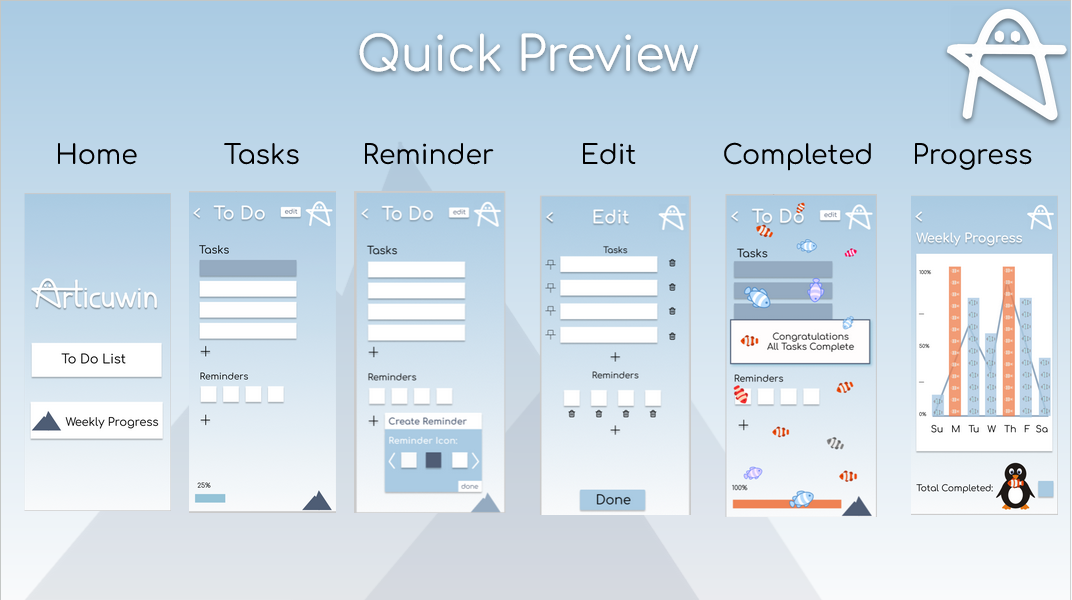
A picture of a slide displaying several screen images of an app interface. The screenshots are labelled 'Quick Preview'. In order from left to right the screenshots are the home screen of the app, a screen showing tasks to be completed, a screen showing a small reminder icon being added to the task list, an edit screen where the tasks and reminders have icons to pin or delete them, a completion screen with all tasks completed, a fill progress bar, a congratulation message, and fish decorating the screen, and finally a progress screen showing a chart with a small penguin underneath. All of these screenshots are on a light blue graident background, and in the upper right corner is an icon stylized to look like the combination of a star, a capital letter A, and a penguin.

Contributions:

Developed with Tyler Collins, Arden Greene, and Grace Westphall.

  • Iterative Design Process (Prototyping & User Testing)
  • Competetive Analysis
  • Wireframing
  • Figma Implementation
  • Documentation & Video

Development:

    View the design document for the project (includes design problem statment, competitve analysis, personas, and user scenarios) here

    View a presentation on the project here

    Prototype: Figma
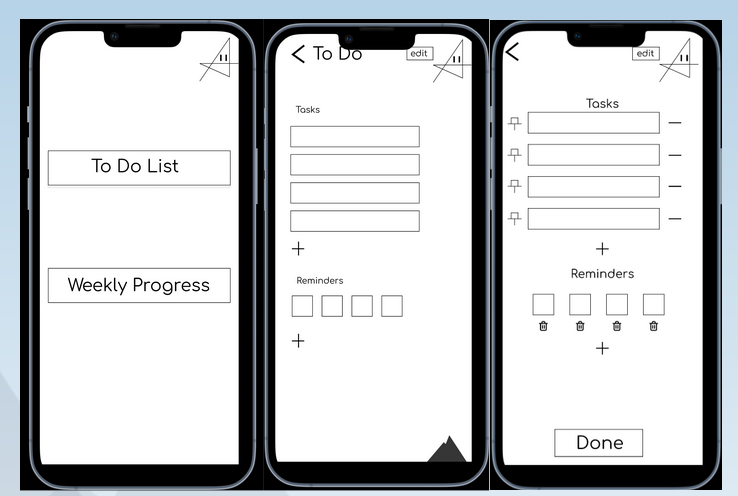
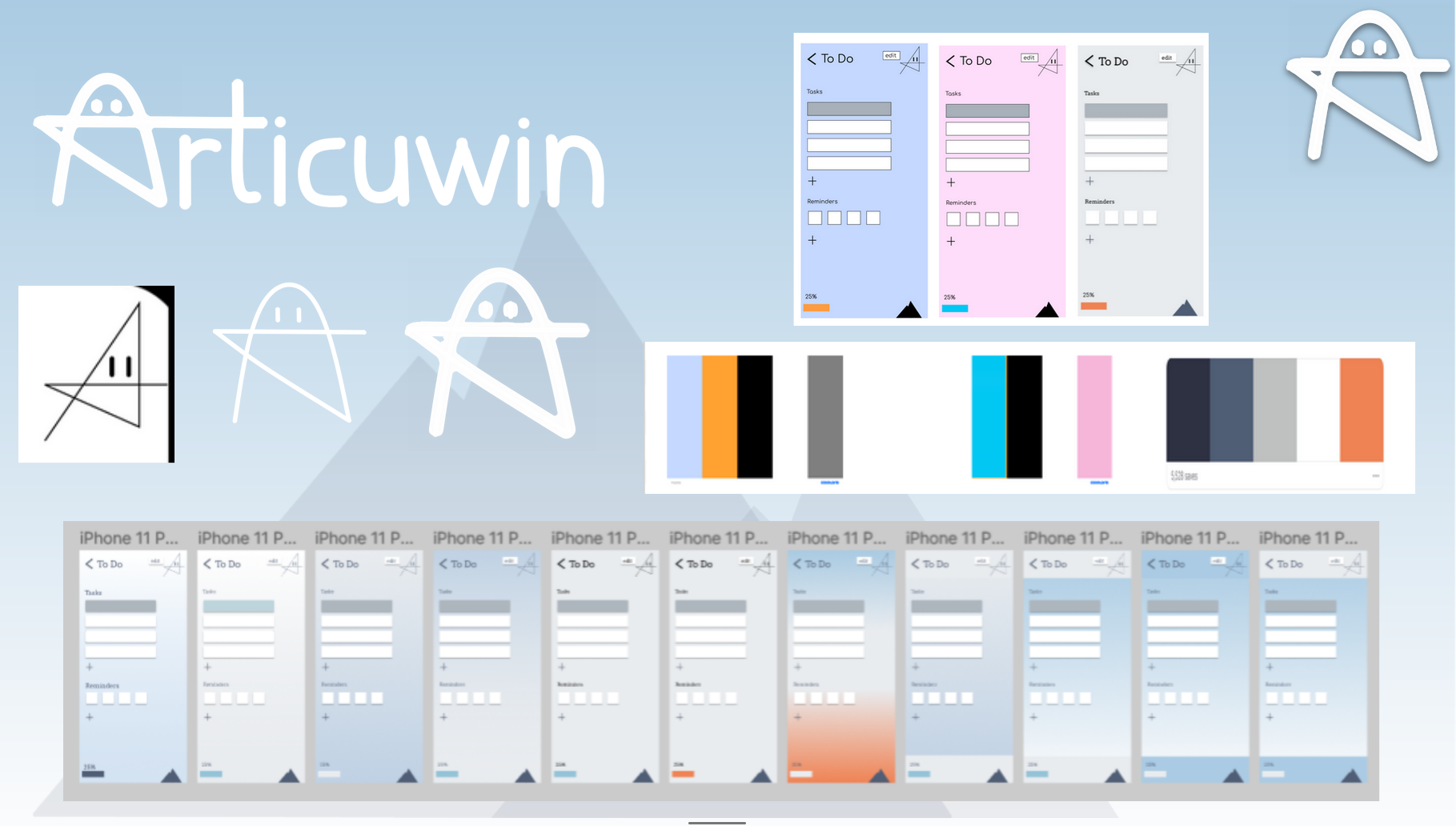
Three wireframes for the app. the are plain whte screens with black text and icons. The left screen shows a home screen with a button for the to do list and a button for weekly progress. The middle screen shows the to do list with a list of tasks and reminder icons below. The right screen shows the same tasks and reminder screen but with options to pin tasks and delete tasks or reminders. A collection of images showing the stle development for the app. These include multiple color swatches showing blues, whites, oranges, and pink. There are several iterations of the to do list screen showing the screen in different colors, as well as multiple iteractions of the logos which is a combination of the capital letter A, a star, and a penguin. There are three images where the logo goes from sharp with thin lines to soft with thick lines.